Skip to content
Family Finance · The Money Story

Know what your family earns, spends, and keeps

You do not need to own a single share to use this. Keep your household ledger for free, see exactly where each month goes, and let the Money Story explain it in plain English — with your opportunities ranked by dollar impact. Set the whole household up in about five minutes, then import a bank statement and watch it organise itself.

The Money Story — earn, spend, keepGuided 5-minute household setupBank-statement CSV importAutomatic categorisationBudgets with redirect intelligenceSavings goals tied to your surplusBill forecasts & debt freedom dateAll local-first & encrypted

The intelligence suite

Import. Categorise. Link. Forecast.

One CSV in, and the whole household organises itself — every step on your device.

1

Import

Drop in a bank-statement CSV. Pulse Neuron reads every line and de-duplicates re-imports automatically.

2

Categorise

Every transaction gets the right category — and your saved rules keep future imports automatic.

3

Link

Lines connect themselves to the right bill, debt, or income, so everything stays reconciled.

4

Forecast

Bills project forward with live balances and low-balance warnings — and goals fund from real surplus.

The Money Story

On the Family Dashboard, your month becomes three plain-English lines: what your family earns, spends, and keeps. Below them, your opportunities — ranked, each with its dollar impact — and a timeline of the dates that matter.

  • Earns, spends, keeps — in plain English, from your real transactions
  • Ranked opportunities, each with the dollar impact of acting
  • A timeline of the dates that matter: bills, renewals, goal milestones
  • Updates itself with every statement you import
The Money Story
The Money Story

5-Minute Setup

A guided Household Setup wizard takes you from a blank app to an organised household in about five minutes — members, accounts, bills, and goals, one calm step at a time.

  • Guided steps with sensible defaults — no blank-page moment
  • About five minutes from empty to organised
  • Skip, revisit, or refine any step later
  • Every Family Finance view starts with a complete picture
Household Setup Wizard

Transactions

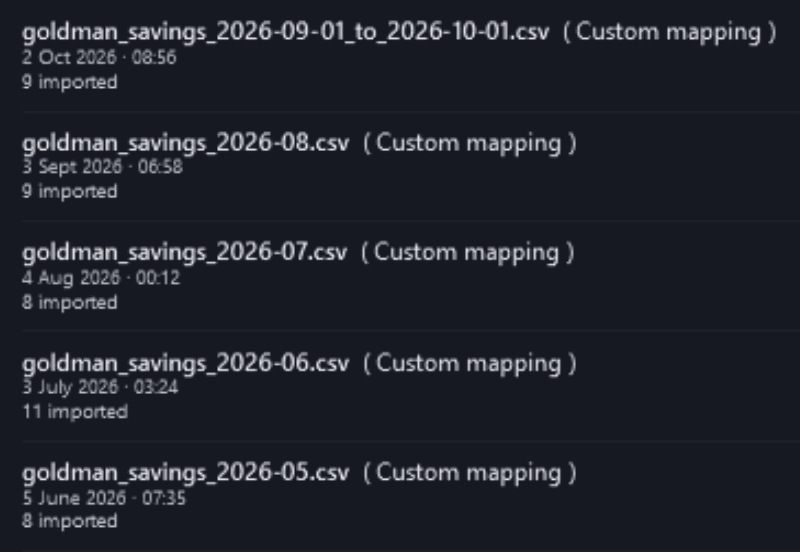
Import a bank-statement CSV and Pulse Neuron auto-categorises every line, links it to the right bill, debt, or income, and de-duplicates re-imports. The more you import, the smarter it gets.

  • One-click CSV import with automatic categorisation
  • Auto-links each line to bills, debts, and income
  • Duplicate detection makes re-importing safe
  • Learns your patterns over time — all on-device
Transactions
Transactions

Money Flow

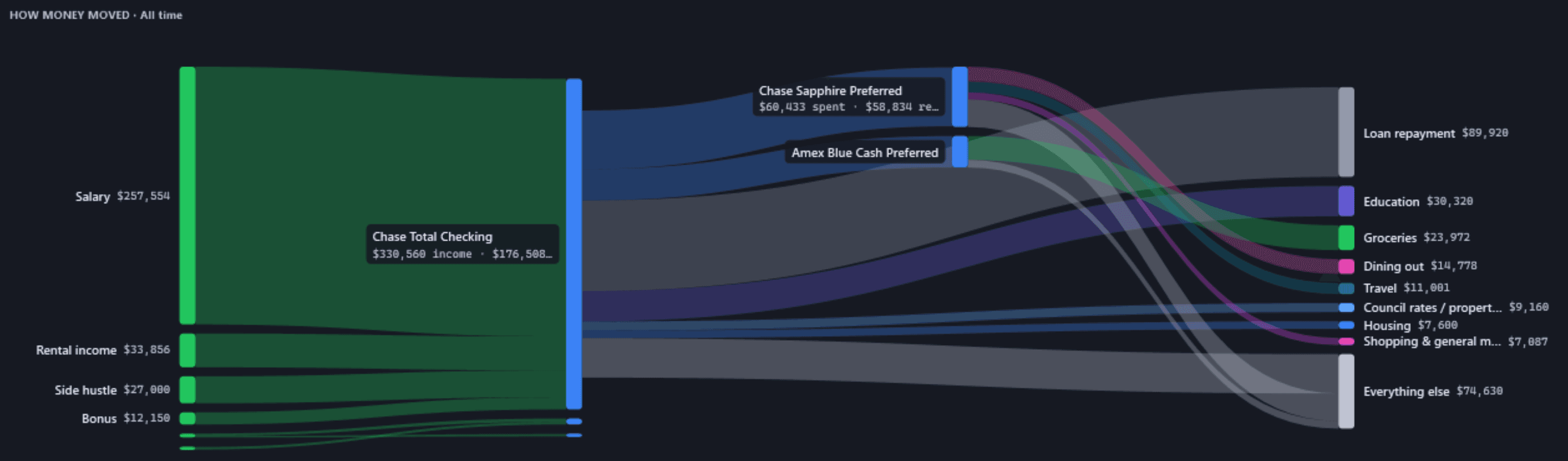
A single hero view of your entire cash flow — where money came from, where it sits, and where it went — so the whole month makes sense in five seconds.

  • Money In → Accounts → Money Out, at a glance
  • Inflow sources and outflow destinations side by side
  • Live account balances rolled in
  • Compare periods to spot what changed
Money Flow
Money Flow

Spending Insights

A category breakdown, a 12-month trend, and your top merchants — the clear picture of habits you can actually act on.

  • Category breakdown with a clear visual split
  • Rolling 12-month spending trend
  • Top merchants and month-over-month deltas
  • Built straight from your imported transactions
Spending Insights
Spending Insights

Budgets

Set per-category caps with live variance, then let the intelligence panel split your spending into Essential, Lifestyle, and Waste-watch — and show the exact monthly amount you could redirect.

  • Per-category envelopes with live variance
  • Essential / Lifestyle / Waste-watch tiering
  • “Money you could redirect” with debt/invest/goal impact
  • Frames waste as opportunity — never nags about real bills
Budgets
Budgets

Savings Goals

Set a target and a date; Pulse Neuron shows the required monthly contribution, your progress, and whether you're on track against your real surplus — and ties straight into your Budgets.

  • “$X by date Y” target and date trackers
  • Required-monthly calculation and progress
  • On-track / behind status against your real surplus
  • Ties into Budgets so trimming waste funds the goal
Savings Goals
Savings Goals

Bill Calendar

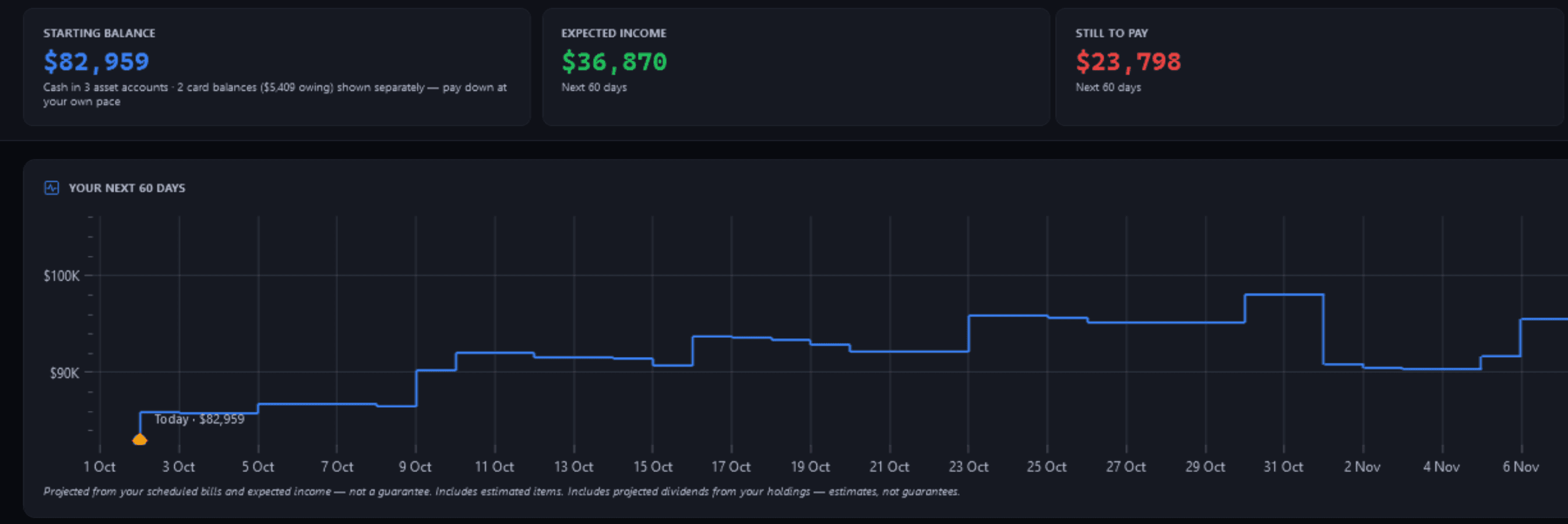
A forward cash-flow forecast built from your real spending — with live account balances, automatic paid-reconciliation, and low-balance warnings before you run short. Prefer a nudge? Optional reminders — off by default — send one quiet digest the evening before bills are due.

  • Forward bill forecast with live balance projection
  • Low-balance warnings before you run short
  • Automatic paid-reconciliation from transactions
  • Learns recurring bills as you import
Bill Calendar
Bill Calendar

Net Worth Timeline

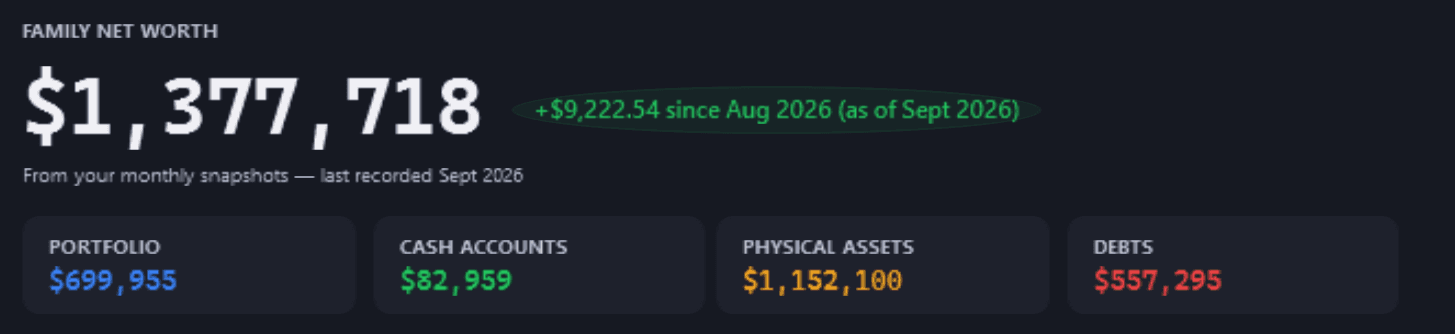
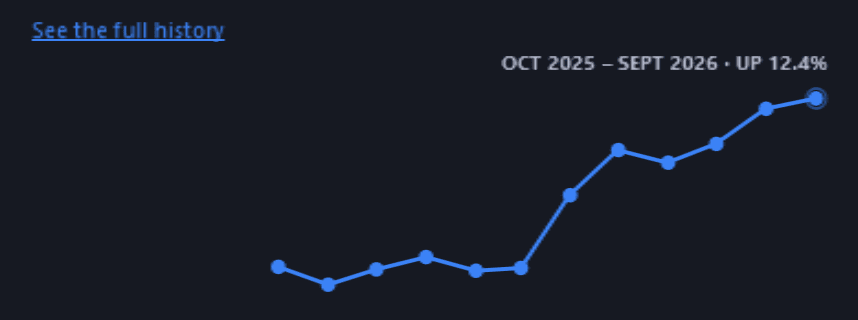
Watch your wealth journey unfold. An interactive chart of total assets, liabilities, and net worth with milestone markers and the long-term trend behind every number.

  • Component-stacked assets, liabilities, and net worth
  • Automatic snapshots — no manual entry
  • Milestone markers and period-over-period growth
  • Selectable time ranges to zoom the story
Net Worth Timeline
Net Worth Timeline

Milestones & Celebrations

The moment you clear a debt, fill your safety net, or cross a net-worth goal, Pulse Neuron marks it — dated, kept, and drawn only from your own recorded data. Rare and tasteful, never a gimmick.

  • Debt-paid-off, safety-net-full, and net-worth milestones, detected automatically
  • Each moment is dated and kept — a quiet record of real progress
  • Only ever from your recorded data — never an estimate or a guess
  • Surfaces on your Family Dashboard the moment it happens
Milestones & Celebrations

Built to be trusted

Intelligence that earns your trust

Knows a quiet month from an empty app

Two-tier smart empty states: if something isn't set up yet, you get a friendly path to start; if it is and the month is simply quiet, it says exactly that. It never confuses the two.

Money math under test

3,700+ automated tests guard the engines behind every figure on these pages — categorisation, forecasts, budgets, and goals — so the numbers stay honest as the app grows.

Yours, and only yours

Statements, budgets, and goals stay encrypted on your device. Automatic safe backups survive an uninstall, and a one-file export moves everything to a new PC.

Pulse Neuron

See where it goes — and where you could redirect it

Keeping the ledger is free — entering your own spending and triaging it in the Review Queue costs nothing, because a household ledger nobody maintains makes every other screen wrong. Pro is for when you want it done for you: importing statements, budgeting, and forecasting what is coming.

Free tier available. Pro subscription managed through the Microsoft Store.